

Help customers with full context
Who takes a call in the SAC sees previous messages and who is handling the order.

From the first WhatsApp message to a closed deal, your team connects conversations, telephony, CRM and AI-powered automation.
Messages and calls in the same Flow.
 Your FlowOne single operation
 5.0 out of 5 · Read reviews ↗
Make and receive calls via WhatsApp, with recording, transcription, and AI supervision. Recover what was agreed upon and prepare the next contact.
Flow CallsWhatsApp
Marina“I want to gather the attention of the team.My question is how to make the change.”
Interest in centralizing the attention. The implementation is the point of attention for the next conversation.
Connected operations
Who takes a call in the SAC sees previous messages and who is handling the order.
The flow separates questions about orders from purchase conversations and directs each client to the right team.
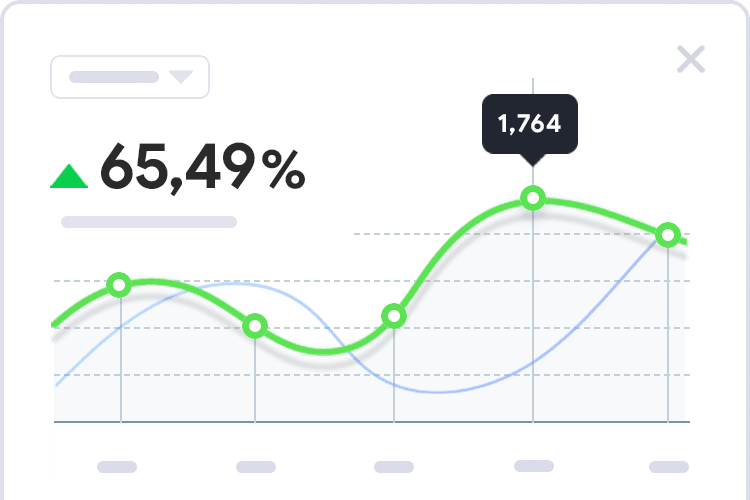
See the origin of each opportunity, the stage of the proposal, and today's returns. Compare sales by team or channel.
From the first conversation to the sale, know what was agreed upon, who is handling it, and what's the next step.
 Ana Lima
→Conversation started
“We need to gather the service of six people.”
$2,400·Qualification
tomorrow at 14h · Ana Lima
 Meta Ads
 Google Ads
Explore resources by area and see how each one enters the daily operation.
| Area | Feature | In practice |
|---|---|---|
| IA | Audio and Call Transcription | Transform audio and calls, including WhatsApp, into text for consultation. |
| IA | Agents and AI assistants | Support customer service and management with instructions, context, and authorized sources. |
| Customer service | WhatsApp Calls | Make and receive calls with recording, transcription, and AI supervision. |
| Automation | Instagram comments | Respond to posts, Reels, and lives by rules. Continue the flow after responding in Direct. |
| CRM and lead capture | Funnels and opportunities | Visualize stages, values, responsible parties, and next steps in the negotiation. |
| Data and conversion | Report Builder and BI | Create graphs, indicators, and tables with sources, filters, and groupings. |
| Data and conversion | Lead Origin to Conversion | Relate campaigns, conversations, and sales according to data captured by tracking. |
| Data and conversion | Events for Meta and Google Ads | Send qualification and sale events through configured integrations. |
8 of 21 features
Availability varies according to contract. Channels, integrations, and AI may require configuration and credits.
Check configuration for my teamWhatsApp, website chat, telephony, and CRM are configured in Agilize. To exchange data with other systems, your team can use API and webhooks.
Plan my integration
AI to guide visitors and route support requests
Turismo Itaipu uses Agilize to guide visitors through tours, tickets and bookings on WhatsApp and its website chat.
View case by Turismo Itaipu Southern Health
WhatsApp triage and AI-assisted conversation review
Sul Saúde uses Boston Medical’s WhatsApp triage to route first-time inquiries and requests from existing patients.
View case by Sul Saúde · Boston Medical“I get help with every question, every new setup, every change and every adjustment to my process.”
“The integration between communication channels (chat, PBX and CRM) sets it apart and makes our day-to-day work much easier!”
Tell us how your team handles today. A specialist helps plan channels, telephony, funnel, and initial automations.
Understand how the solution fits into your operation.
Discuss Your Scenario
Validate your WhatsApp and email to create the environment. Guided implementation guides the first steps. The test dispenses card and ends without automatic charge. Start the test →
The composition considers the number of people and numbers, channels, telephony, automations, and AI resources. The team details the implementation and items charged per use. View plans and subscription →
The connection depends on the current situation of the number and business account on Meta. The team verifies the activation path and explains message and model requirements. Get to know WhatsApp Business →
The team verifies the viability of portability and guides documentation and transition to PABX IP. See business telephony →
You define initial questions, exit rules, and the destination department. The attendant can consult previous answers when taking over the conversation. Knowing the Triage →
The administrator configures users, teams, and permissions according to each person's responsibilities. Read the access guide →
Yes. Choose a time and bring a real process, like entering an order, distributing calls, or following up on a proposal. Book a demo →